
If you want to write data to a database other than MSSQL or MySQL described in the ” Write MODBUS to MSSQL ” or ” Write MODBUS to MySQL ” sections, you have the following options:
1. If there is an ODBC driver for this database, the configuration process is similar to that described in the ” Write MODBUS to MSSQL ” or ” Write MODBUS to MySQL ” sections. You will only have to create a table complying with the syntax of your database. For example, the Microsoft Access ODBC drivers come together with the operating system starting from Windows XP, and you can use the Microsoft Access visual development tools to create a database;
2. Suppose it is an SQLBase, Oracle, SQLServer, Sybase, DB2, Informix, Interbase, Firebird, MySQL, or PostgreSQL database. In this case, you can use the “SQL Database Pro” data export plugin (fig.1) instead of the “ODBC database” plugin. You should download and install this plugin separately after you install the program. In this case, you also add MODBUS values and select the parser, but you configure the ” SQL Database Pro ” plugin instead of the “ODBC database” plugin the way it is described in the manual on our website.
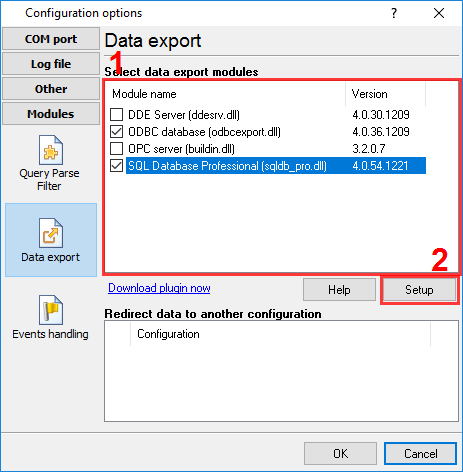
Fig. 1 Selecting the data export plugin