
I need to control the status of three MODBUS TCP PLC controllers and make any signal when a state of a coil register changes from 0 to 1 or vice versa.
Since you have three devices, you will have to create three identical configurations that will differ only in their IP addresses and the numbers of the devices. If the devices have the same MODBUS address and differ only in their IP addresses, you can create one configuration and add all three IP addresses.
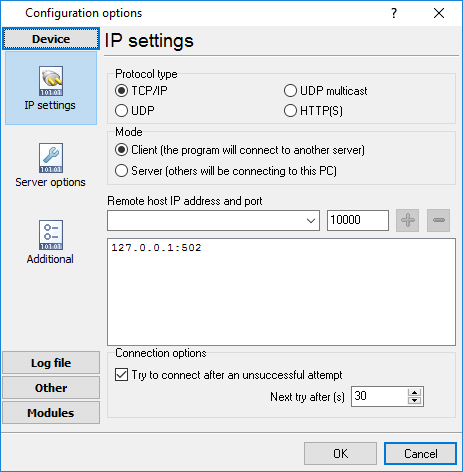
Most probably, it is the computer that will initiate a connection to the device. So the program will run in the client mode.
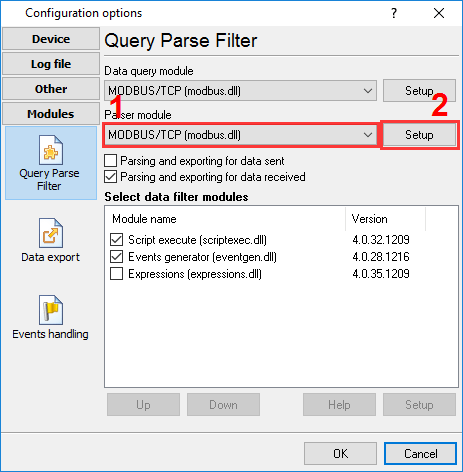
Note the order of the filter modules.
How it works:
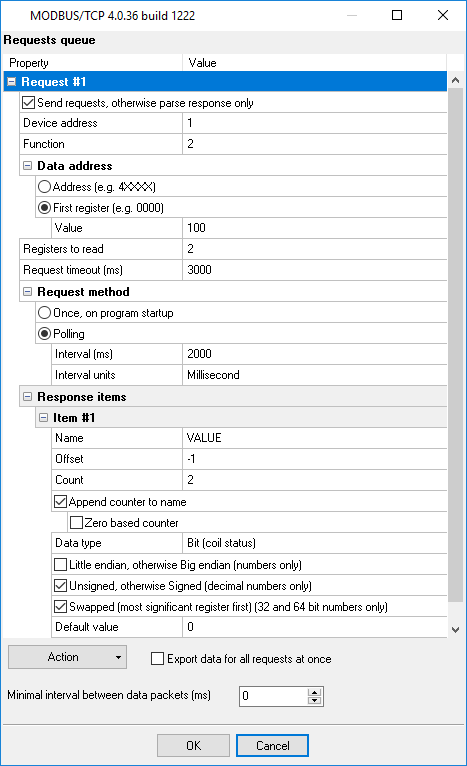
Click “Configure” next to the “Data Query Module” list and add a data query (Action –> Add).
Select the “Script Execute” module in the list and click “Configure” under the module. You should specify the script in the new dialog box.
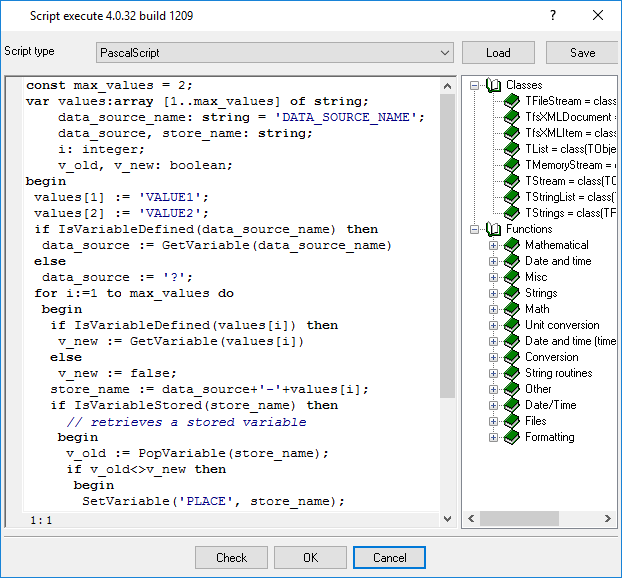
Script text:
const max_values = 2; var values:array [1..max_values] of string; data_source_name: string = 'DATA_SOURCE_NAME'; data_source, store_name: string; i: integer; v_old, v_new: boolean; begin values[1] := 'VALUE1'; values[2] := 'VALUE2'; if IsVariableDefined(data_source_name) then data_source := GetVariable(data_source_name) else data_source := '?'; for i:=1 to max_values do begin if IsVariableDefined(values[i]) then v_new := GetVariable(values[i]) else v_new := false; store_name := data_source+'-'+values[i]; if IsVariableStored(store_name) then // retrieves a stored variable begin v_old := PopVariable(store_name); if v_old<>v_new then begin SetVariable('PLACE', store_name); if v_new then SetVariable('ALARM', '1') else SetVariable('ALARM', '2') end; end; PushVariable(store_name, v_new); end; end.
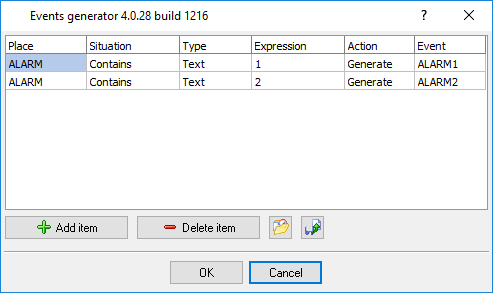
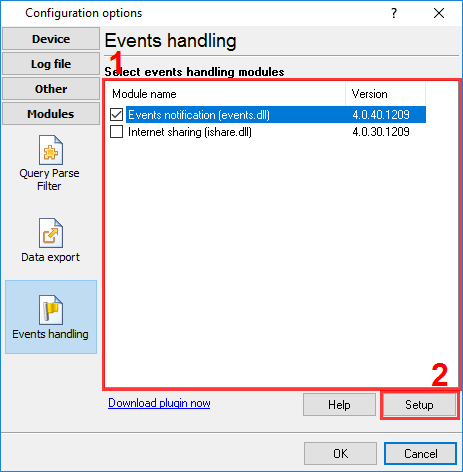
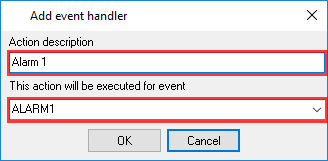
Open the “Events notification” module configuration dialog box. Click the New Handler button. Specify the event name and its descriptions. You need to specify two handlers for two events: ALARM1 and ALARM2.
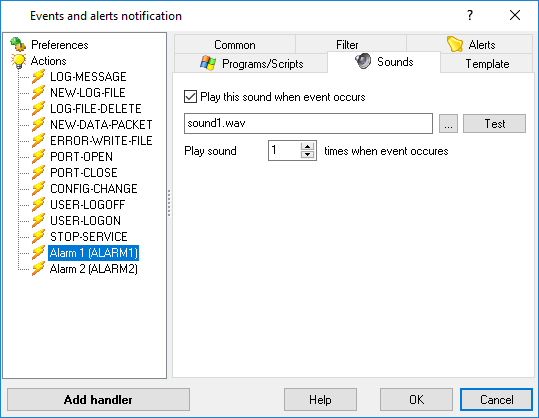
These events will appear in the tree to the left. Select an event in the tree and configure the actions that will be executed when the event occurs. You can specify individual parameters for each event handler.
Ready-to-use configuration that you can restore from the “File” menu you can download here
.