
Problem scenario:
My goal is to read values from the ” Schneider Electric PowerLogic PM5300” power meter using the Bacnet/IP protocol.
How to read data using MODBUS, you may read in another article.
Background:
This power meter can work with MODBUS and Bacnet. However, IMHO, Bacnet is easier to set up, because you do not need to know data types, offsets, combine several registers to one value, etc.
It is assumed that:
You have configured the communication settings (IP address, Subnet, Gateway, Bacnet Protocol) on the device. You must assign a static IP address for the device.
Also, you need documentation for your device, that contains a description of all BACnet objects. In the Schneider Electric PM5300 series, we are interested in the Documentation group with basic measurements (page # 41).
Solution:
1. Configure the UDP server connection (fig. 1). The standard TCP port for Bacnet devices is 47808. The IP address should be “0.0.0.0”. Then the program can receive data from all network interfaces on your computer. The IP address of your device you will specify later.
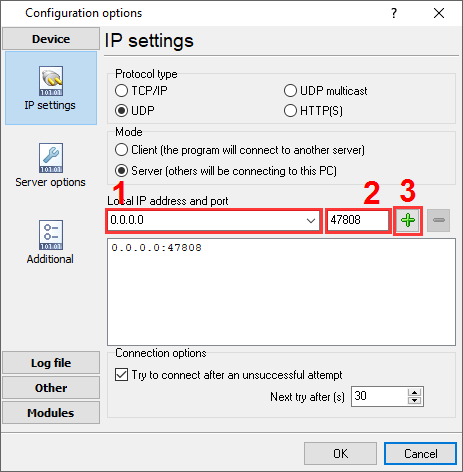
Fig. 1 TCP connection
2. Enable the “Bacnet/IP” plugin (fig. 2).
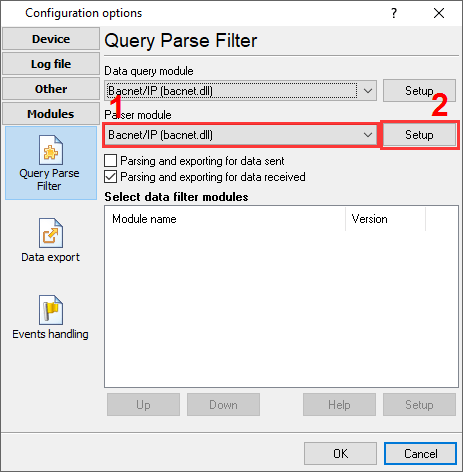
Fig. 2 Bacnet/IP plugin
3. Configure the “Bacnet/IP” plugin by clicking the “Setup” button nearby (fig. 3).
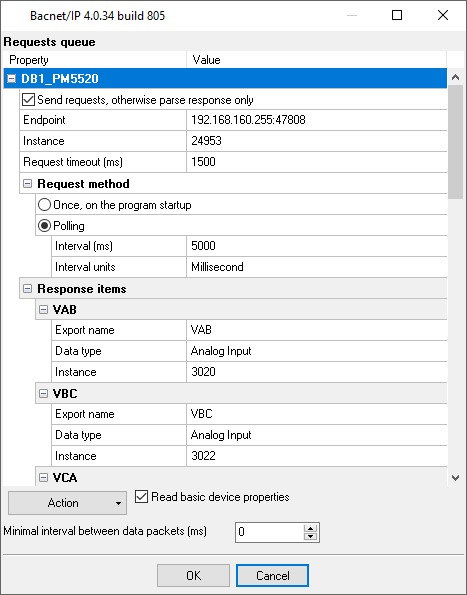
Fig. 3 Requests queue.
4. Load the queue from the attached XML file by clicking the “Action – Load” button. This queue allows reading basic 10 values from the device. Also, you may load the full configurationusing the “File – Restore configuration backup” menu item in the main window.
5. Adjust the polling interval as you want.
6. If you just want to write the parsed data to a file, then make the following changes:
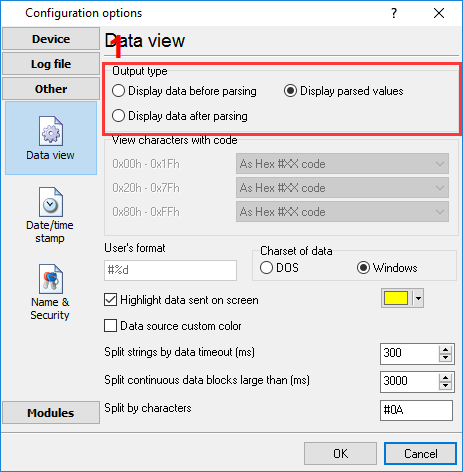
Fig. 4 Data view mode
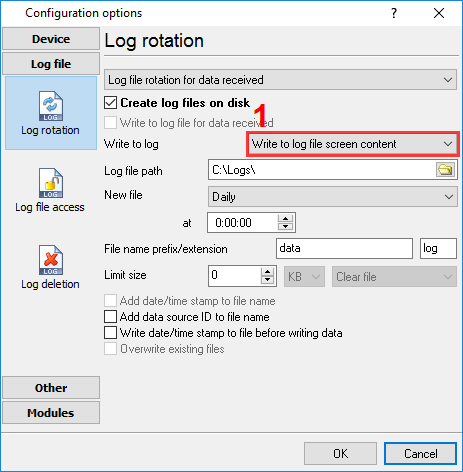
Fig. 5 Log file settings
7. If you need to write the parsed to Excel or a database, then you may continue using links below. All data export plugins use the same parser variables. You’ve defined the name of these variables in the “Export name” field (fig. 3).