0
Items : 0
Subtotal :  0.00
View CartCheck Out
Chennai
Chennai
Singapore
Mumbai
Switzerland
+91 44 4091 2000 Mon - Fri 09:00 - 18:30 766/1, TEZ, Sakthi Towers 1, Anna salai, Chennai 600 002.
+6584181583 Mon - Fri 09:00 - 18:30 68 Circular Road, #02-01, 049422, Singapore.
+91 98848 35702 Mon - Fri 09:00 - 18:30 5, Powai Lake Heights, Mumbai 400 072
+41 (0)91 225 81 00 Mon - Fri 09:00 - 18:30 Equvera - ISV Techno SAGL, Via Ligornetto 6A, 6855 Stabio, Switzerland
Ceritified
ISO 9001:2018
The Best
#1 in India
#1 in Europe
#1 in Asian-pacific
Number #1
AUTOMATION SOLUTION PROVIDER
Talk to an Expert
0
Items : 0
Subtotal :  0.00
View CartCheck Out

SMS to database: Writing short messages from a GSM modem into a database

SMS TO DATABASE: WRITING SHORT MESSAGES FROM A GSM MODEM INTO A DATABASE

SENDING THE CONFIRMATION SMS MESSAGE ASYNCHRONOUSLY FROM A DATABASE

In this case, the program should read the message text and the number it will be sent to from the database. You can
do it by adding a new data source.
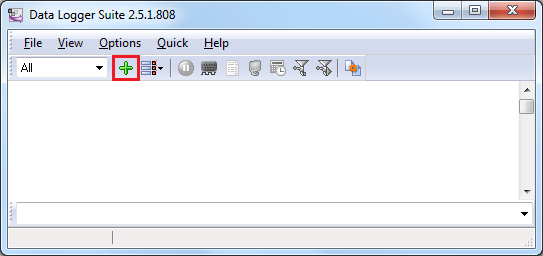
  1. Click the button in the main window of the program (fig. 1) to add a new data source.

Adding a new SQL data source

Fig. 1. Adding a new data source

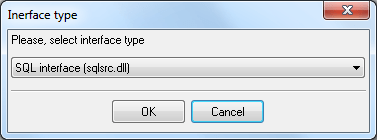
  1. Select the SQL interface type (fig. 2).

Selecting the interface type

Fig. 2. Selecting the interface type
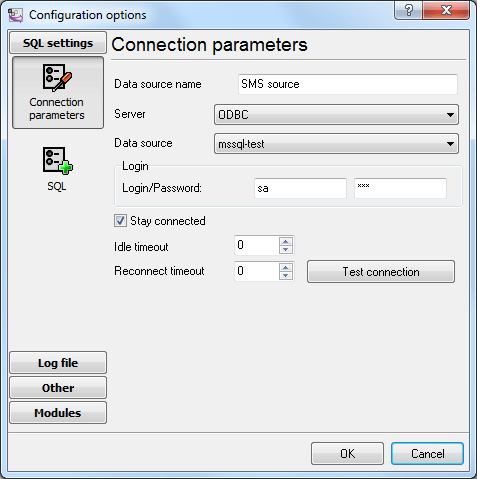
  1. Configure a connection to the database (fig. 3). The connection is configured similarly to how it is described in
    the “
    Configuring writing data to the database with the ODBC database” section in fig. 11.

Configuring the connection

Fig. 3. Configuring the connection

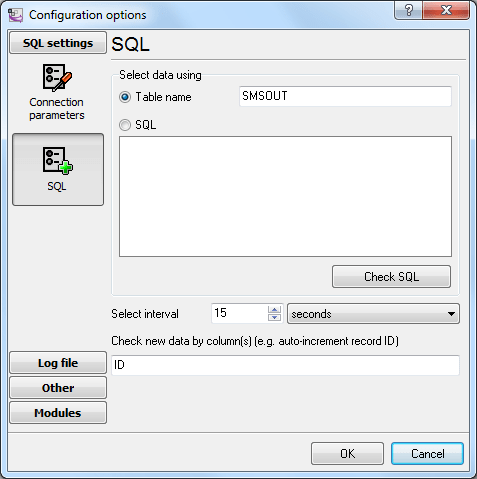
  1. Specify the name of the table new text messages will be read from (fig. 4). You should also specify the interval
    for the program to check for new messages and also the field it is possible to identify new data by. It may be a
    unique identifier or date and time.

Configuring reading the data

Fig. 4. Configuring reading the data

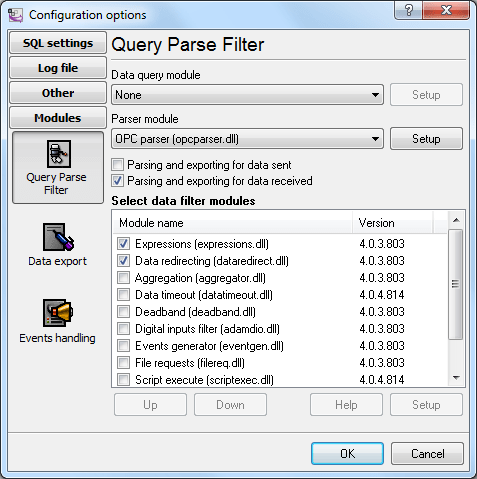
  1. Enable the modules for processing data retrieved from the table (fig. 5).

Data processing modules

Fig. 5. Data processing modules

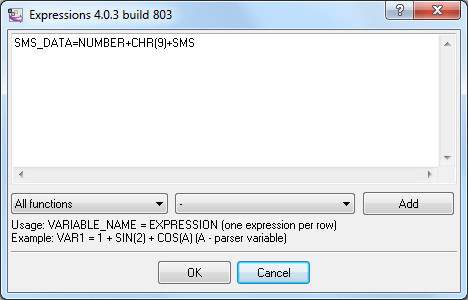
  1. Use the
    Expressionsmodule to specify the expression that will generate the data packet to be sent to the
    modem. In this example, NUMBER and SMS are fields from the SMSOUT table (see fig. 4) in the database. CHR(9) is the
    ASCII tabulation character that serves as a delimiter between the number and the message text.

Generating the data packet

Fig. 6. Generating the data packet

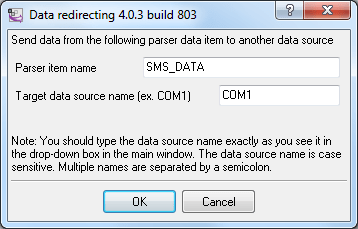
  1. Configure the module of redirecting data to the modem (fig. 7). SMS_DATA is the name of the item that is generated
    in the
    Expressionsmodule and COM41 is the number of the COM port the modem uses.

Redirecting data to the modem

Fig. 7. Redirecting data to the modem
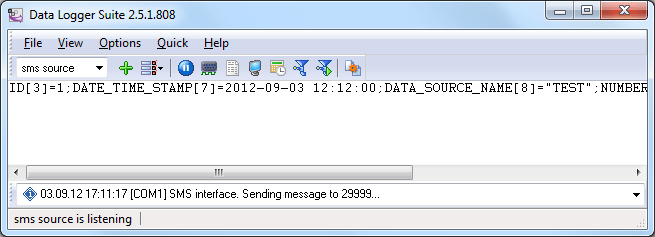
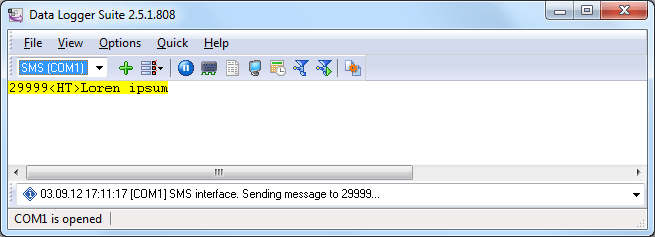
  1. Now, whenever there is new data in the SMSOUT table, the program will read it (fig. 8) and send a text message
    using the modem (fig. 9).

Data from the table

Fig. 8. Data from the table

Data redirected to the modem

Fig. 9. Data redirected to the modem