
Task:
We have several scales with a serial to Ethernet connection, and the data logger software retrieves data from these. I want to ensure they are outputting data.
Requirements:
It is assumed that:
The logger receives data successfully, and you configured the parser to extract the necessary values.
Solution:
This task can be solved using alert emails sent when the program didn’t receive data during a defined time interval. You may use a combination of two plugins: Data timeout and Events notification.
Data timeout – controls parser’s variables. If the plugin does not receive values for a specified time, it will generate an event, and the “Event notification” plugin can handle this event. Note: because this plugin works with parser variables, therefore the parser should work correctly and extract data packets from a common data flow;
Event notification – executes specified actions for one or more events. For example, it can play sounds or send emails.
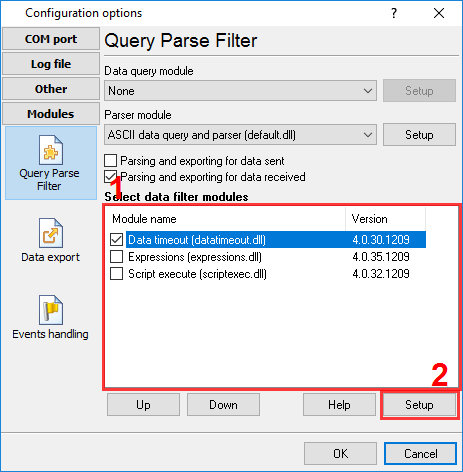
Fig.1. Data timeout plugin
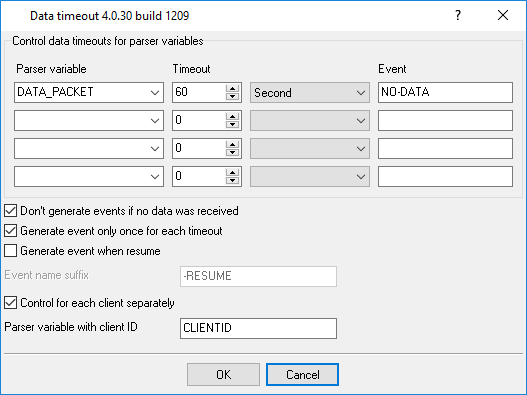
Fig.2. Data timeout plugin settings
Click the “OK” button and save the settings.
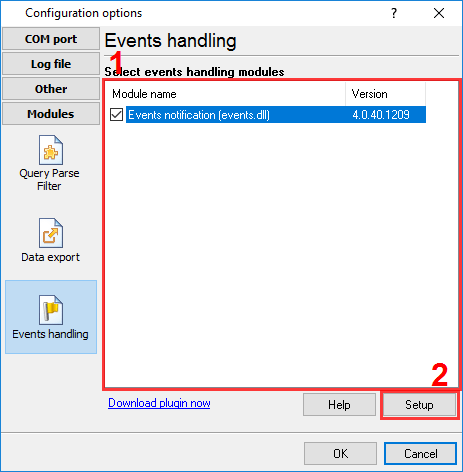
Fig.3. Event notification plugin
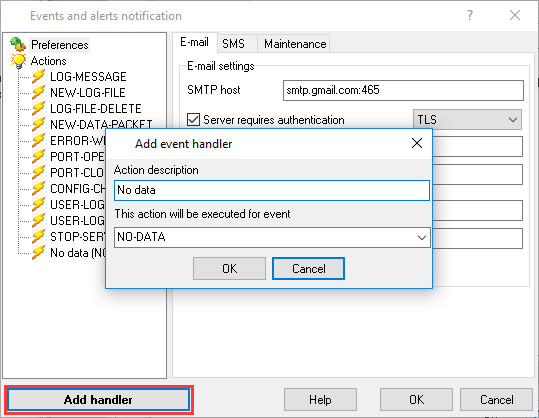
Fig.4. Adding a new event handler
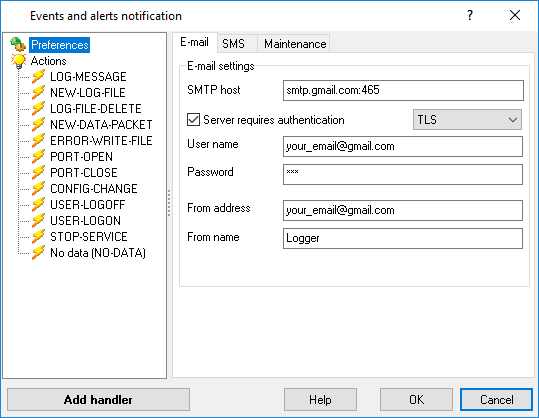
Fig.5. Configuring a connection with an SMTP server
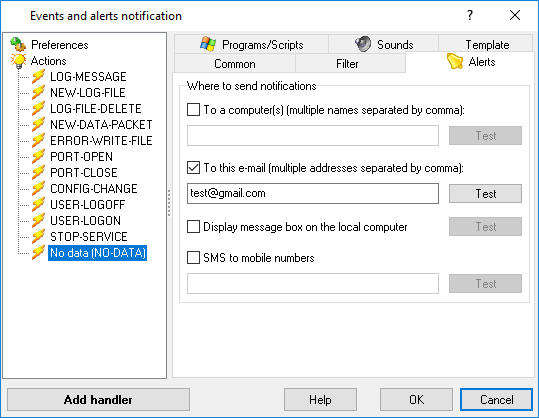
Fig.6. Email for notifications
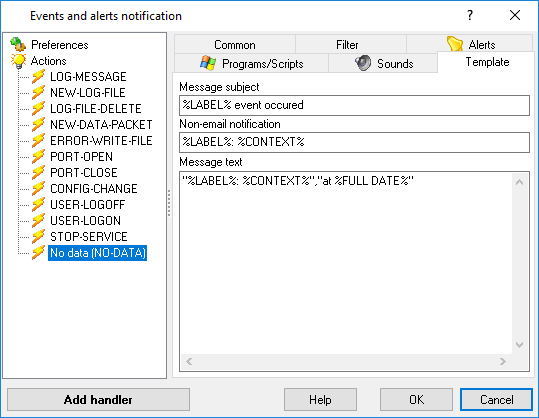
Fig.7. Template for emails
The template may contain special placeholders. Right-click over the edit box and select it from a popup menu.
Then click the “OK” button and save all settings. The program will send alert emails to your email when a data timeout occurs.